
4 Free AI Tools to Streamline Your Social Media Content Creation

AI has made creating social media content easier than ever. Unfortunately, it’s also made it easier than ever for everyone’s content to start looking exactly the same.
There’s a smarter way to use AI.
The right tools can save you time, streamline the process, and elevate your content without losing the authenticity that makes your brand unique.
The best part? You don’t need a big budget to get started.
Here are four AI tools with free plans worth exploring to streamline your content creation.
1. ElevenLabs: Bring Your Content to Life With AI Voiceovers

Want to add professional sounding narration to your videos without recording your own voice?
ElevenLabs transforms written text into realistic conversational speech. You can choose from a variety of voices, accents, and languages, and even add emotional cues like laughter, excitement, or whispering to make your audio sound more natural and engaging.
It’s a great tool for creating voiceovers for Reels, explainer videos, and other social media content.
2. OpusClip: Turn Long Videos Into Short-Form Content
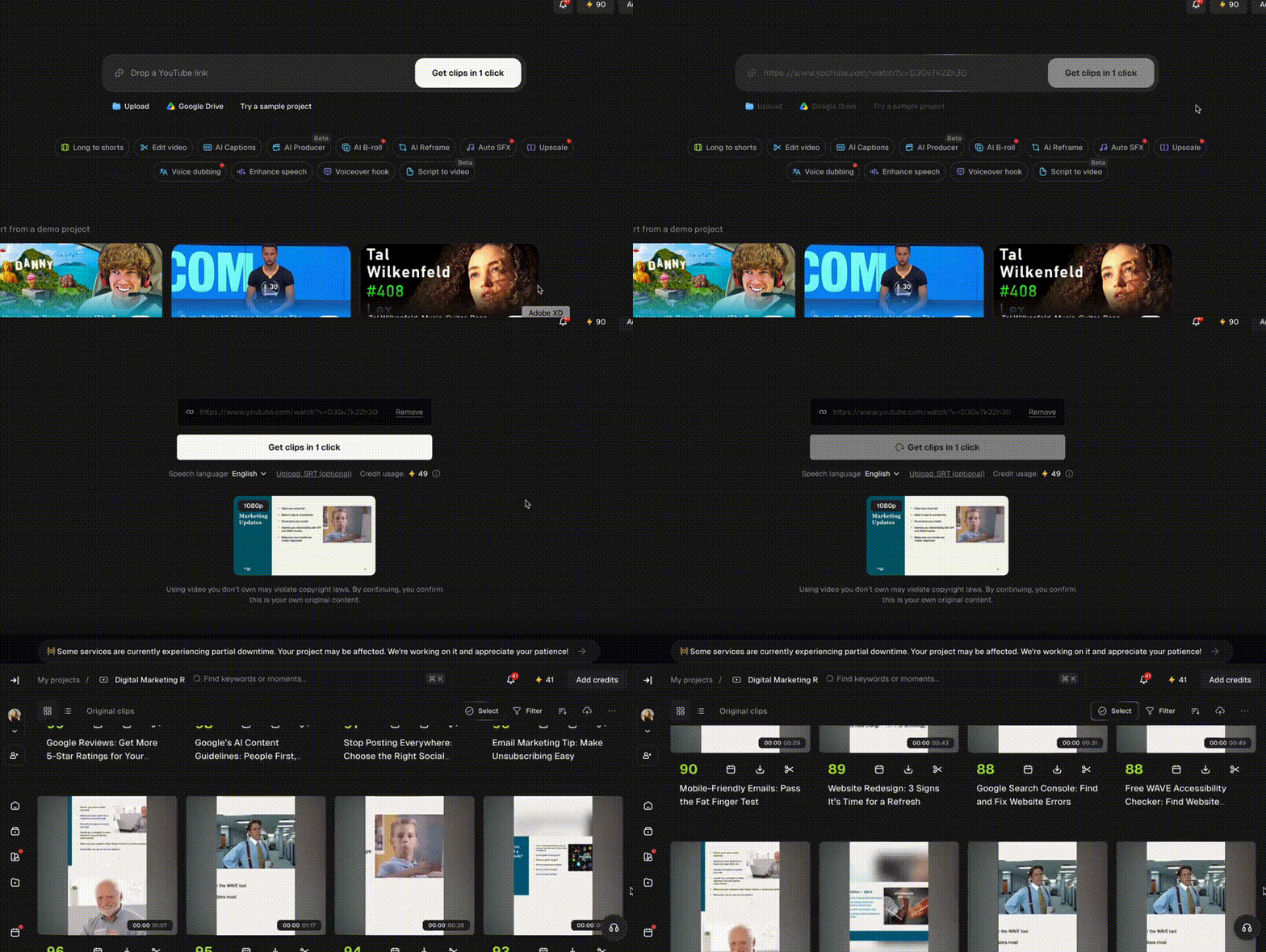
Have a webinar, podcast, or other type of long-form video sitting in your content library?
OpusClip uses AI to identify key moments in long videos and automatically transforms them into short, shareable clips that are perfect for to share on Instagram, TikTok, and YouTube Shorts.
It can even automatically add captions and reframe your footage to fit different social media platforms.
It’s a great way to repurpose content you’ve already created without starting from scratch.
3. Canva: Transform Photos Into Videos
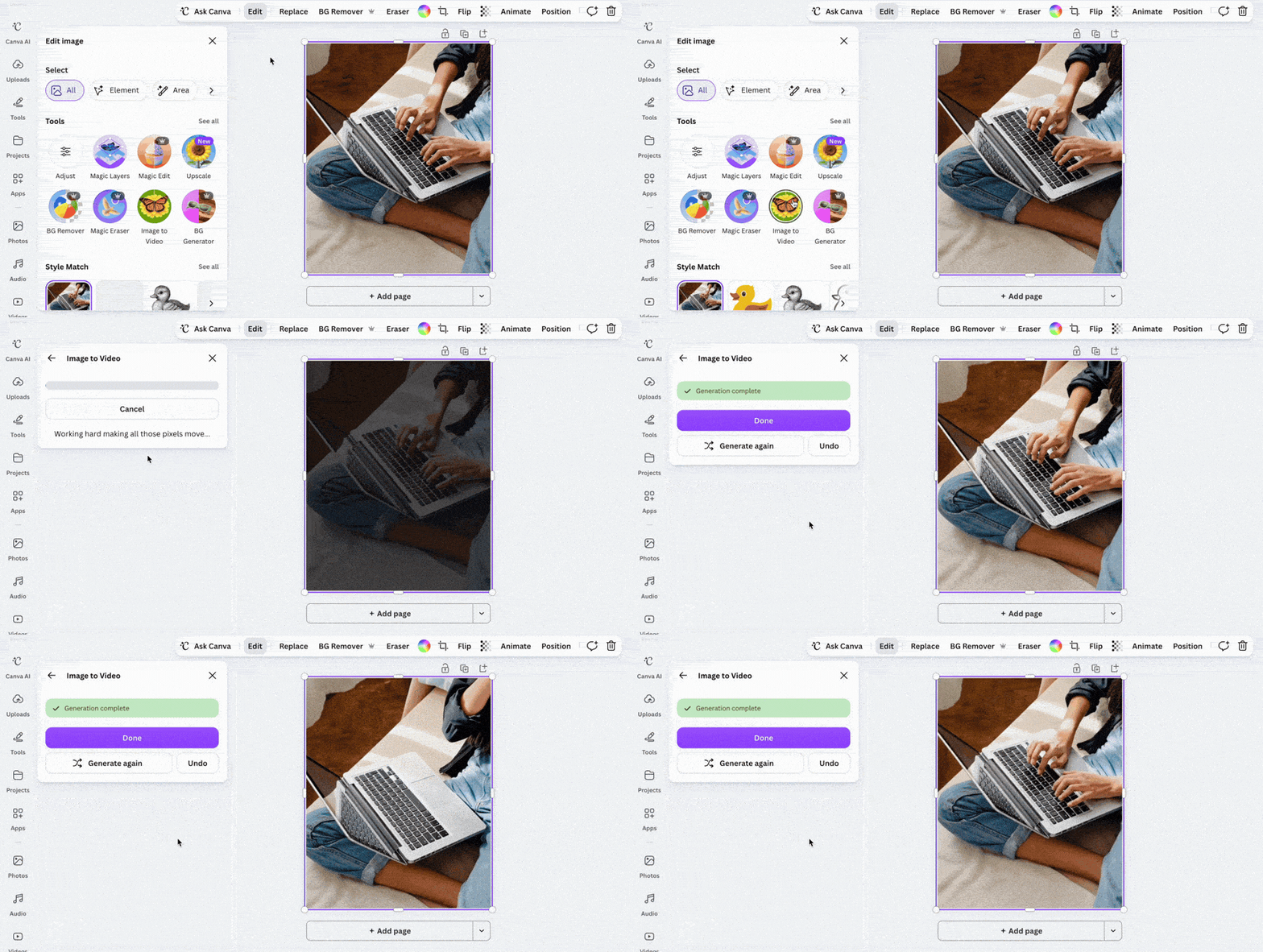
Need some extra B-roll footage for your next Reel, but don’t have time to film anything new?
Canva’s Image to Video tool uses AI to transform static images into short animated clips. You can upload a photo and let Canva add motion automatically, or enter a custom prompt to direct the animation.
You can then incorporate these animated clips into your Reels, adding music, text, and other design elements to bring everything together.
It’s a fun way to create additional B-roll from your existing brand photography without filming anything new.
4. Adobe Podcast: Make Your Audio Sound Studio-Quality
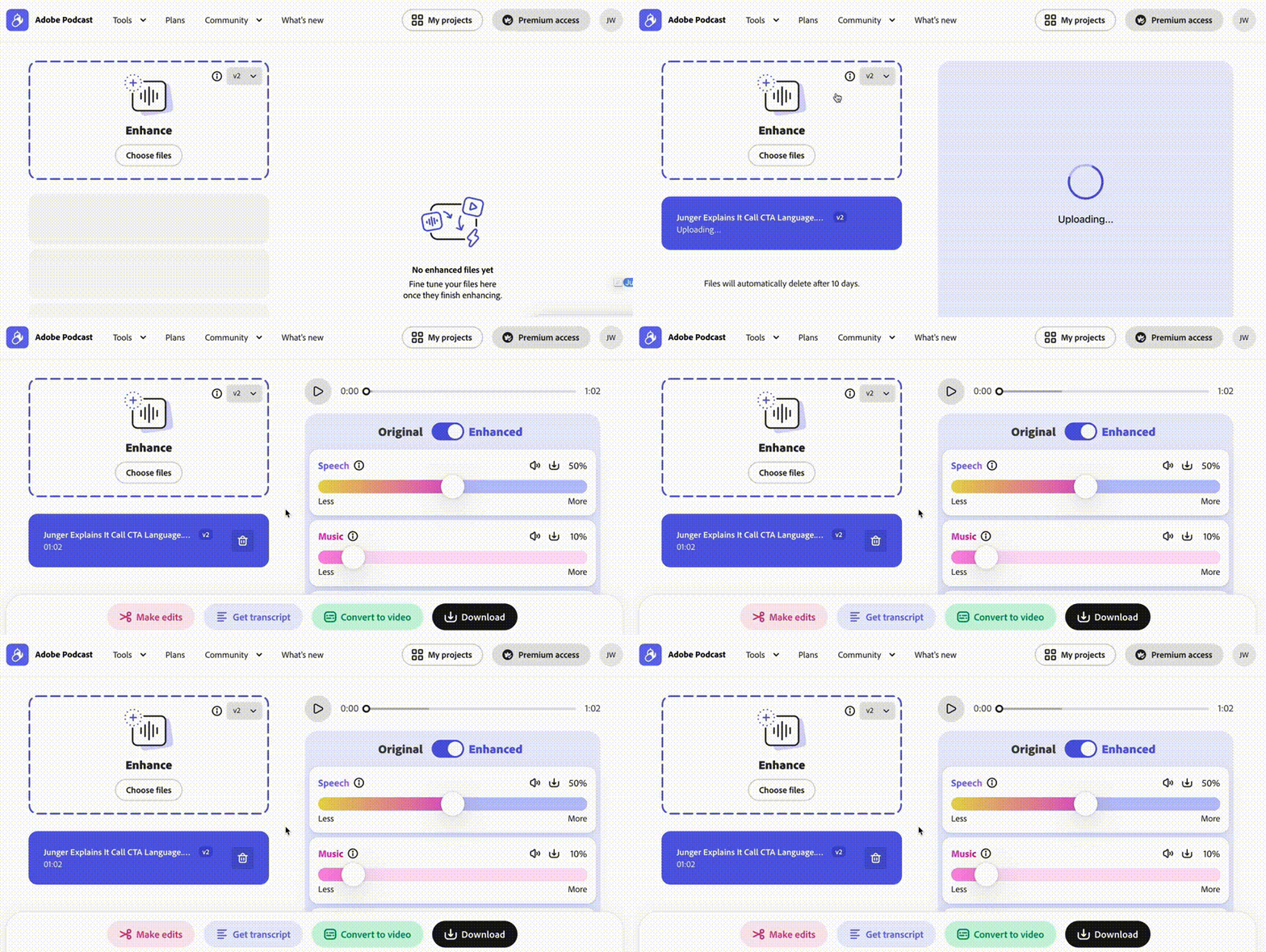
Ever recorded a great video only to realize distracting background noise was ruining it?
Adobe Podcast’s Enhance Speech uses AI to quickly clean up voice recordings, reduce unwanted noise, and improve audio clarity with just a few clicks.
Simply upload your audio file and get studio-quality audio without needing the expensive recording equipment!
Remember – AI is a tool, not a strategy. The key is using it to create content that helps you work smarter without losing what makes your brand unique.
Need help taking your social media content to the next level? Reach out to us!