User Onboarding: When, Why, and How?

When someone lands on your website for the first time, do they know what to do?
With most websites, people know what to do because the provided context is sufficient, leading them to take the appropriate action.
However, some digital experiences require a bit more guidance and, in these cases, it may help to create an onboarding system. Onboarding helps orient new users so they understand exactly how to achieve their goals.
There are several different onboarding methods, like a series of modals explaining the process, a video, or tooltips highlighting different areas of interest on the page.
So, when should you include an onboarding experience?
Typically, onboarding can help when your site or tool doesn’t follow conventional layouts or models – things like software platforms, user dashboards, or mobile apps. In each case, there is a process that isn’t necessarily familiar to the users – which requires direction.
To understand better, let’s take a look at a few use cases where an onboarding process can help.
Introducing Software or Dashboards with Unique Features

Example: Adobe Illustrator
Illustrator – the design software used for creating and editing vector graphics – has an extensive toolbar that is overwhelming to any new user, so Adobe created tooltips that appear when you hover over menu icons. The tooltip offers a concise description of each tool, a keyboard shortcut, and even a GIF demonstration of the tool in use.
The tooltips make the platform feel less daunting to new users and help flatten the learning curve. One benefit to this design is that users can get help as needed, instead of having to memorize a list of tips provided at sign-in.
Highlighting New Features, Upgrades or Interface Changes
Example: Basecamp
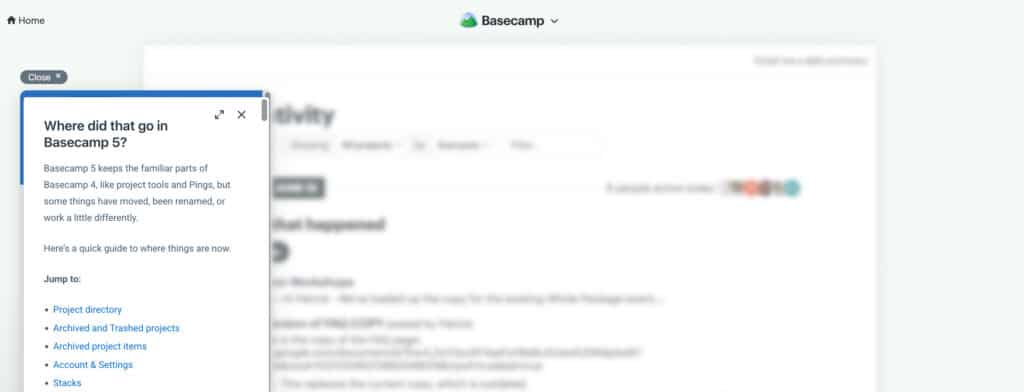
Basecamp, the project management software we use, recently released version 5 of their software with a brand new look. When the new version rolled out, a video appeared that explained the changes. Without any explanation, users could’ve quickly become frustrated being unable to complete tasks in the way they had learned and come to expect.
As a bonus, they also included a widget on the screen to help users find what they need, which serves a secondary onboarding for users that may have skipped or overlooked the video.
Directing to Appropriate Content with a Quiz

Example: Pinterest
On Pinterest, a new user quiz appears as a modal after signing in.
It asks for your primary interest areas so that the content you see is customized to your interests, streamlining the process of getting started. Many direct-to-consumer brands (like Warby Parker or Casper) also utilize quizzes to direct users to the product best suited for them.
This type of onboarding can really enhance the user experience, but it’s important to keep the process quick and simple to avoid creating frustration.
Consider Your Audience and Their Needs
As with any user experience, it’s crucial to consider your audience and their needs. There are instances where onboarding is simply unnecessary and would only cloud the process.
If you’re thinking about adding an onboarding experience, do the appropriate research and determine if it’s going to help your users. To make sure it works, follow this tips:
- Keep it simple: Opt for a fewer screens, less text, and use a minimal style, like tooltips, when possible
- Include an opt-out option for users: Remember that giving your users options and control helps improve their overall experience
- Show progress: A progress bar helps users understand how far along they are so they can predict how much time they need to invest
- Try to keep the entire process under 1-2 minutes
Need help deciding if onboarding is right for your users? Reach out to us.