Designing a New Website? How to Approach the Sitemap
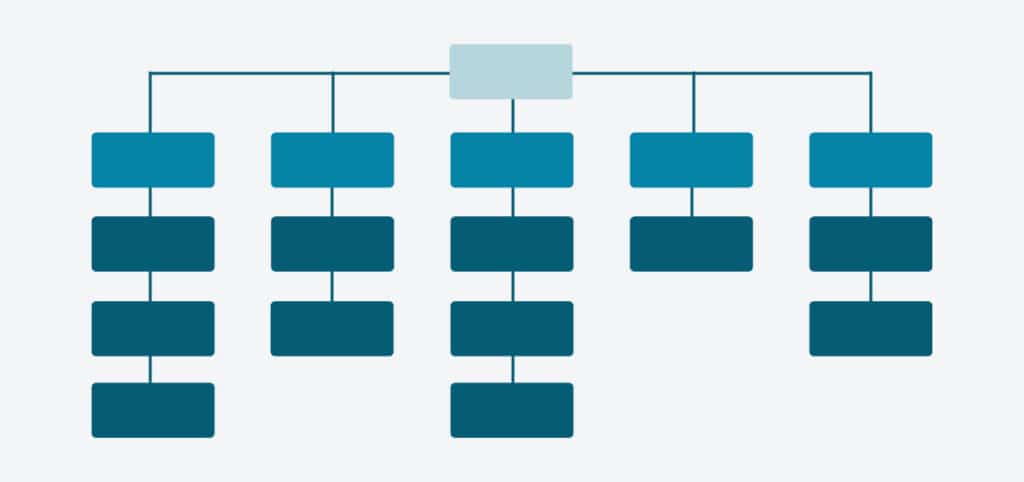
During the discovery phase of a website design project, one of the most important steps is the creation of a sitemap.
This complete list of pages maps out the framework of the site and establishes the navigation hierarchy. But the sitemap isn’t just a tool to organize the pages – it’s an opportunity to create the most streamlined user experience possible.
Sometimes, this can be a daunting task, and since the sitemap will ultimately serve as the foundation for design steps like the wireframes and mockups, it’s important to make a few key considerations along the way.
Here are 5 simple steps to make the process a success.
1. Audit Existing Content
If you have an existing website, you should begin the process by reviewing a list of every page on your current site.
For each page, you’ll want to determine whether the new site should keep that content as is, update it to fit a new narrative, or delete the page entirely.
If you have access to analytics or results from user testing, you should absolutely use that data to inform these decisions. Assess what is and isn’t working, and move forward with intention.
2. Shift Your Perspective
As you perform the content audit and construct your new site’s sitemap, it’s important to adopt the perspective of your users – not an org insider.
What does this mean?
Think about what tasks are going to be most frequently performed, and ensure those links are easy to access. You’ll want to make sure those pages are front and center on the sitemap.
Think about your naming conventions and aim to use the simplest and most user-friendly language. Remember, page content should be easily identifiable to visitors who aren’t familiar with your organization.
3. Build the Navigation
Part of creating a sitemap is crafting your site’s navigation. Be sure to follow best practices – content should be clearly labeled, well-organized, and accessible.
Think of each layer of the site hierarchy as an additional step in the user journey, so don’t bury valuable content on a third or fourth level page.
For certain user tasks and tools, the utility navigation is the best solution and others may belong in the website footer.
4. Have Clear Goals
There are reasons you’re redesigning your site, and the sitemap should reflect these goals. Don’t allow competing interests to cause confusion or indecision among your users.
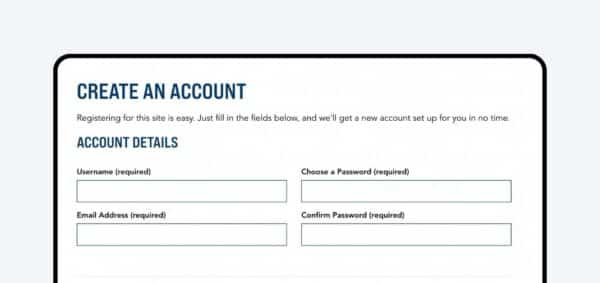
The main navigation should include one (or no more than two) buttons for users to select from. These should mirror your primary goals – user actions like “Register”, “Donate”, or “Contact Us”.
Other calls-to-action can be placed within the homepage content or other page of the site, but don’t overwhelm your users with too many options too soon.
5. Continually Review & Update
Ultimately, a sitemap is flexible. You can always add sub-pages or change page titles, and can even move pages around as needed. But you want to make sure you’re building a solid framework that is based on thoughtful consideration and review.
The goal with any sitemap is to build the most streamlined website that will create the least amount of friction for users. To ensure the best possible outcome, you should plan to continually review, test, and update your sitemap.
If you have questions or need help getting started, reach out to us.